
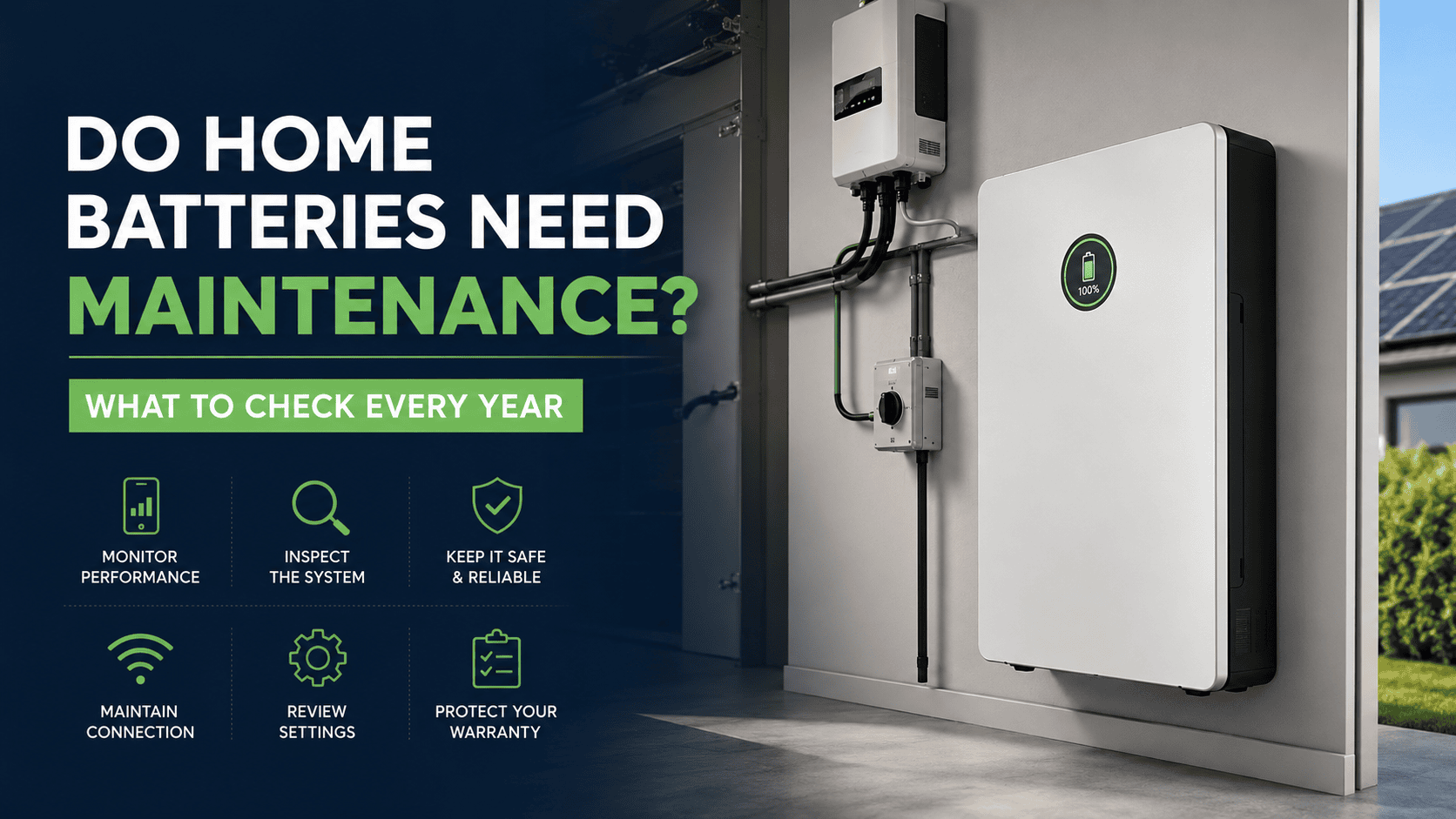
Home batteries are built to work quietly in the background. They store excess solar energy during the day, supply it when your home needs it and may keep essential appliances running during a blackout. That can make them easy to forget about. But do home batteries need maintenance? Yes—although most modern systems require very little hands-on care.
A simple annual home battery check can help you spot warning messages, physical damage, blocked airflow or unusual performance before a small issue turns into an expensive repair. You should also arrange the professional safety checks recommended for your system.
Why Home Battery Maintenance Matters in Australia
Australian homes can expose battery systems to intense summer heat, dust, coastal salt air, heavy rain, insects and severe storms. These conditions may affect the battery enclosure, ventilation, mounting area and nearby electrical equipment.
Regular home battery maintenance helps to:
- Identify faults early
- Maintain reliable charging and discharging
- Keep the installation area safe
- Support warranty compliance
- Support the long-term performance of the system
The Australian Government describes solar and battery systems as relatively low maintenance but recommends monitoring their operation and following the maintenance schedule supplied by the manufacturer or installer. The Clean Energy Regulator also recommends having a solar battery checked for safety every year by a licensed electrician accredited by Solar Accreditation Australia.
Keep your solar system working perfectly with Aussie Solar Tech’s affordable operation and maintenance services. We offer solar panel cleaning, inverter servicing, and system repairs Australia-wide.
What to Check on Your Home Battery Every Year
Use this home battery maintenance checklist as a general guide. Always follow the instructions provided for your specific battery model.
| What to check | What to look for | What to do |
| Monitoring app | Alerts, faults or missing data | Save a screenshot and contact support if the issue continues |
| Charging pattern | Battery is no longer charging normally | Compare performance over several similar sunny days |
| Discharging pattern | Rapid discharge or unexpected grid use | Review household usage and battery settings |
| Battery enclosure | Cracks, swelling, rust or discolouration | Do not touch the damaged area; arrange an inspection |
| Installation area | Dust, leaves, moisture or stored items | Safely clear loose objects without touching equipment |
| Ventilation | Blocked openings or reduced clearance | Restore the space required by the manufacturer |
| Cables and conduit | Visible damage, movement or scorch marks | Do not touch; contact a qualified electrician |
| Internet connection | Battery offline or app not updating | Follow the approved reconnection instructions |
| Backup settings | Changed reserve or operating mode | Compare the settings with the original configuration |
| Documents | Missing invoice, warranty or service records | Store digital and printed copies together |
This yearly inspection is mainly about observing the system. It does not replace professional electrical testing.
Easy Home Battery Maintenance Tips to Keep It Healthy
Check the Monitoring App
The monitoring app is the easiest way to see whether your home battery is working normally. Check that it is online, updating data, charging from surplus solar and discharging as expected. Repeated fault codes or unexpected shutdowns should be reported to the installer.
Do not judge performance from a single cloudy day. Compare several days with similar weather and household energy use.
Inspect the Battery Exterior
Look for cracks, dents, swelling, corrosion, water marks or scorch marks. Also check whether the unit appears loose or damaged.
Do not remove the cover, touch wiring or attempt repairs yourself.
Keep the Area Clear
Keep boxes, plants, leaves and other items away from the battery and its ventilation openings. Restricted airflow may affect performance and make emergency access difficult.
Clean only as directed by the manufacturer. Never use a hose, pressure cleaner or harsh chemicals.
Check the Internet Connection
Many home batteries need internet access for monitoring, remote support and software updates. Check the connection after changing your router, Wi-Fi password, internet provider or monitoring account.
Firmware updates should only be completed through the manufacturer’s approved system.
Review Battery Settings
Check the backup reserve, operating mode and charging schedule after an app update, tariff change or service visit.
Avoid changing advanced settings unless you understand their effect, as this may reduce savings or backup availability.
Keep Warranty Records
Store the invoice, serial number, warranty, installation documents and service reports together. Battery warranties may include limits based on age, cycles, energy throughput or retained capacity, as well as specific operating conditions.
Keeping clear records can make future support or warranty claims much easier.
Home Battery Maintenance Tips for the Australian Climate
Hot Garages and Outdoor Areas
Check that stored belongings, shelves or recent building work have not reduced airflow around the battery.
If the monitoring app repeatedly displays temperature warnings, contact the installer. Do not add your own fan, cover or enclosure without professional advice.
Coastal Locations
Salt air may contribute to corrosion. Look for rust or discolouration around the battery casing, mounting area and nearby electrical equipment.
Do not sand, paint or spray electrical components yourself.
Dusty and Regional Areas
Dust, insects and leaves can collect around the installation. Keep the area clear while avoiding contact with wiring, switches and electrical equipment.
Wet or Flood-Prone Areas
Look for water marks, poor drainage or evidence that water has reached the battery.
A system affected by flooding or water ingress should not be restarted until it has been professionally inspected. Fire and Rescue NSW also advises owners not to restart a battery damaged by impact, fire or water.
After Severe Weather
After a storm, inspect the area from a safe distance for fallen objects, impact damage or water exposure. Arrange an inspection if anything appears different or unsafe.
What Can You Check Yourself?
Homeowners can monitor and visually inspect home batteries, but electrical maintenance must be left to qualified professionals.
| Safe homeowner checks | Professional checks |
| Review app data and alerts | Electrical safety testing |
| Check charging patterns | Battery and inverter fault diagnosis |
| Look for external damage | Cable and connection inspection |
| Keep the surrounding area clear | Isolator and protection-device testing |
| Confirm internet connectivity | Firmware and advanced configuration |
| Organise warranty records | Repairs and component replacement |
Never open the enclosure, tighten a connection or touch wiring. The Clean Energy Regulator specifically advises battery owners not to touch wiring or electrical components.
Signs Your Home Battery Needs Maintenance or Repair
Contact your installer when you notice:
- Repeated fault messages
- The battery is no longer charging
- Unexplained shutdowns
- App data keeps disappearing
- Faster discharge without increased household use
- A noticeable decline in usable storage
- Visible corrosion or casing damage
- Damaged conduit or cables
Some warning signs require more urgent action. Keep away from the battery if you notice swelling, smoke, sparks, excessive heat, leaking liquid, a burning smell or unusual hissing, popping or cracking sounds.
Fire and Rescue NSW warns that damaged batteries may present fire, explosion and chemical-exposure risks. In an emergency, leave the area, call Triple Zero and tell the operator that a residential battery system is involved.
How Often Should a Home Battery Be Serviced?
The Clean Energy Regulator recommends having a solar battery checked for safety every year by a licensed electrician accredited by Solar Accreditation Australia and advises owners to ask their retailer or installer for the recommended maintenance schedule rather than assuming every battery needs major servicing each year.
A professional home battery service may include:
- Reviewing recorded fault history
- Inspecting cables and isolators
- Testing electrical components
- Checking battery and inverter communication
- Reviewing system performance
- Confirming firmware status
- Inspecting the physical installation
Arrange an earlier inspection after flooding, physical impact, severe storm damage, nearby fire, repeated faults or major electrical work at the property.
Does Home Battery Maintenance Cost Money?
The basic checks you perform yourself normally cost nothing. Reviewing the app, inspecting the outside of the battery and keeping the installation area clear are part of normal ownership.
Professional inspection costs vary depending on the system, location and work required. Before booking, ask whether the service covers the battery, inverter, cables, isolators, fault history and a written report.
If the system is still under warranty, fault inspection or repair may be covered, although exclusions and conditions can apply.
Final Verdict
So, do home batteries need maintenance? Yes, but modern systems should not require constant hands-on work.
The practical routine is simple: monitor the app, inspect the enclosure, keep the area clear, maintain the internet connection and store the warranty documents. Australian guidance also recommends an annual safety check by an appropriately licensed and accredited electrician.
Never attempt internal repairs yourself. Swelling, smoke, unusual heat, chemical smells, water exposure and visible electrical damage should always be treated seriously.
Good home battery maintenance is mainly about noticing changes early. A few sensible checks each year can support safer operation, reliable performance and a longer home battery lifespan.
Frequently Asked Questions
Are Home Batteries Maintenance-Free?
Most modern home batteries are low maintenance, but they are not completely maintenance-free. Owners should monitor performance, check for visible damage and follow the recommended professional inspection schedule.
Do Home Batteries Need Yearly Servicing?
The Clean Energy Regulator recommends a yearly safety check by a licensed electrician accredited by Solar Accreditation Australia. Follow any additional instructions from the manufacturer or installer.
What Should I Check in the Battery App?
Check whether the system is online, charging and discharging normally, updating its energy data and displaying any repeated warnings or faults.
Can I Clean a Home Battery Myself?
You may remove loose external dust or debris when the manufacturer allows it. Do not spray the battery, open its enclosure or touch cables and electrical components.
Can Maintenance Affect the Battery Warranty?
Yes. Warranty conditions may include charging cycles, throughput, operating temperature, installation requirements and approved system use. Review the warranty for your specific model.
When Should I Contact an Installer?
Contact the installer if the battery stops charging, repeatedly shuts down, displays persistent faults or shows declining performance. Swelling, smoke, excessive heat, water exposure or damaged wiring require urgent attention.

Shah Tarek is a Solar Energy Consultant with 10 years experience in solar system design and solar consultancy field at Australia. He is now a Director, Operation & Consultancy Division at Aussie Solar Tech, a leading Australian solar retailer and installer. Here he is writing informative and engaging solar content that educates the community on the benefits of solar power. His work supports Aussie Solar Tech’s mission to promote sustainable energy solutions and foster a greener future for Australia.












Seraphim Solar Panels Review: Efficiency, Reliability, and Value Unveiled

Talesun Solar Panels: Honest Review Before You Buy

Sungrow Battery VS Tesla Powerwall : Which is Best in Australia?

Leapton Solar Panels Review: Affordable Energy Solution

REC Solar Panels Review: Outstanding Efficiency & Durability

Best Hybrid Inverters for Home Solar Systems in 2025

Best Solar Battery In Australia 2026 — Complete Guide

Sigenergy VS Fox ESS Battery: Which is The Best Choice for 2026

How Much Do Solar Panel Costs in Australia? (2026 Price Guide)

